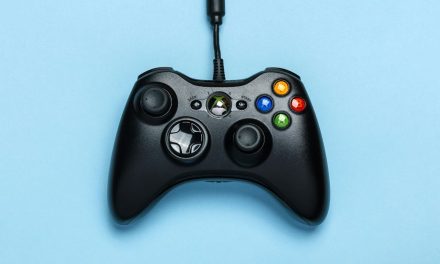
Source: pexels
We’ve all been there — someone’s hogging the TV, and you wish you could just dive into your Xbox library without being glued to your TV. This is why Xbox Cloud Gaming and Remote Play practically exploded when they first came out in 2020 and 2021, respectively.
Both allow you to stream your favorite titles anywhere with an internet connection. You get console-quality games on your phone, tablet, or PC.
But as it goes, you’ve got to take the good with the bad. In this case, gamers often experience latency and lag between the controller’s input and on-screen action.
Portable monitors stepped up to close the gap. But are they truly worth it? Let’s find out. Keep reading to find out whether portable monitors can enhance your Xbox Cloud Gaming and Remote Play experience.
How Crucial is Display in Cloud Gaming and Remote Play?
First off, let’s unpack the importance of high-quality display for Xbox Cloud Gaming and Remote Play. With Cloud Gaming, the game runs on cloud-based servers that can process loads of data. You don’t have to download or install the games — it’s like Netflix but for gaming.
On the other hand, Remote Play allows you to stream games from a powerful host device (like a PC or console) to a different, less powerful device (like a phone, tablet, or laptop) over a network. The living room got too cold? Pause the game on your TV and resume it on your phone in bed.
Both setups have their own mechanisms and control systems, but one thing remains common: the need for a high-quality display. The cloud server and network aren’t the only factors that make your gameplay experience smooth. The screen you’re looking at has a big role.
As hinted earlier, latency is a big issue. It disrupts the gameplay, especially during those high-action movements. This is especially true when you’re using a low-refresh-rate monitor to receive the signal from the server.
What Makes a Portable Monitor Worth It?
Yes, you can use a phone or a laptop for Xbox Cloud Gaming and Remote Play, but they don’t guarantee the highest response time and the lowest lag. Portable monitors, therefore, are definitely worth it!
Until a few decades ago, portable monitors were considered a computer desk gadget. But they have now become a valuable companion to Cloud Gaming and Remote Play. These new and improved monitors now feature USB-C and HDMI 2.1 ports, built-in speakers, and HDR support. This means you can enjoy both Xbox Cloud Gaming and Remote Play with optimal quality.
The best part? The core tech inside portable monitors is actually well-suited for high-speed gaming. What other output device offers a 144 Hz refresh rate and 1 ms response rate? With a PS4 portable monitor, you can expect crisp and seamless gameplay.
Features That Impact Your Gaming Experience
Still feeling on the fence? The following features of portable monitors can positively impact your gaming experience:
Refresh rate
Most phones and tablets have the standard 60Hz refresh rate. In comparison, the latest portable monitors offer refresh rates of 120Hz, 144Hz, and even higher. This can make a noticeable difference in the smoothness of gameplay.
Resolution
Many portable monitors offer 1080p Full HD resolution, and some high-end models even provide 2k. A 2k monitor will make every detail of your favorite title crisp and clear.
Response time
There is nothing more frustrating than visual delay. 1–5 ms portable monitors promise that you’ll experience almost no ghosting or visual delay.
Connectivity
Connecting a portable monitor has never been simpler. You can use a wired HDMI or USB-C connection to connect it to your device. This can reduce potential display lag compared to a wireless screen mirroring solution.
Lower input lag
Having 5G isn’t enough when you’re streaming games on a mobile device. This is why seasoned gamers prefer portable monitors. They are designed with low input latency in mind. Your moves register on the screen as soon as possible.
Lightweight and slim
Portable monitors are designed to be slim and thin. You can easily carry one in your backpack. No more leaving your gaming setup at home when you’re going for a vacation.
Plug-and-play simplicity
Modern portable monitors usually require just a single USB-C cable for both power and video. The connection is quick and effortless.
Tips to Optimize Cloud Gaming and Remote Play With a Portable Monitor
Ready to buy a portable monitor for Cloud Gaming and Remote Play? There are some small adjustments you can make to enhance your experience. Keep the following in mind:
- Use Ethernet or 5 GHz Wi-Fi.
- Enable Game Mode on your portable monitor to reduce display latency.
- Opt for a monitor with blue light technology. This will filter harmful blue light to protect your eyes.
- Keep your monitor up-to-date for better compatibility.
Final Thoughts
A portable monitor is worth it if you want to take your Xbox Cloud Gaming and Remote Play experience to the next level. Refresh rate, response time, resolution, and connectivity — every feature will contribute to a smooth, immersive gaming experience.



![[Leak] Wildlands, the cancelled game from Eidos Montreal that has cost the company hundreds of millions and years of development](https://vgleaks.com/wp-content/uploads/2026/04/eidos-montreal-games-2023-150x150.png)
![[Rumor] The new Lord of the Rings game is reportedly being developed by Warhorse (Kingdom Come: Deliverance 2)](https://vgleaks.com/wp-content/uploads/2026/03/lotrxkcdv2-150x150.jpg)
![[Rumor] Nintendo could release an Ocarina of Time Remake, a new Star Fox this year, and a new 3D Mario in 2027](https://vgleaks.com/wp-content/uploads/2026/03/ocarina-of-time-150x150.jpg)